-
Choose the format
In Admin → Race classes, set the class's Format to Pill draw · 2 heats (the default). Pills 1– sets the highest pill number drivers can draw.
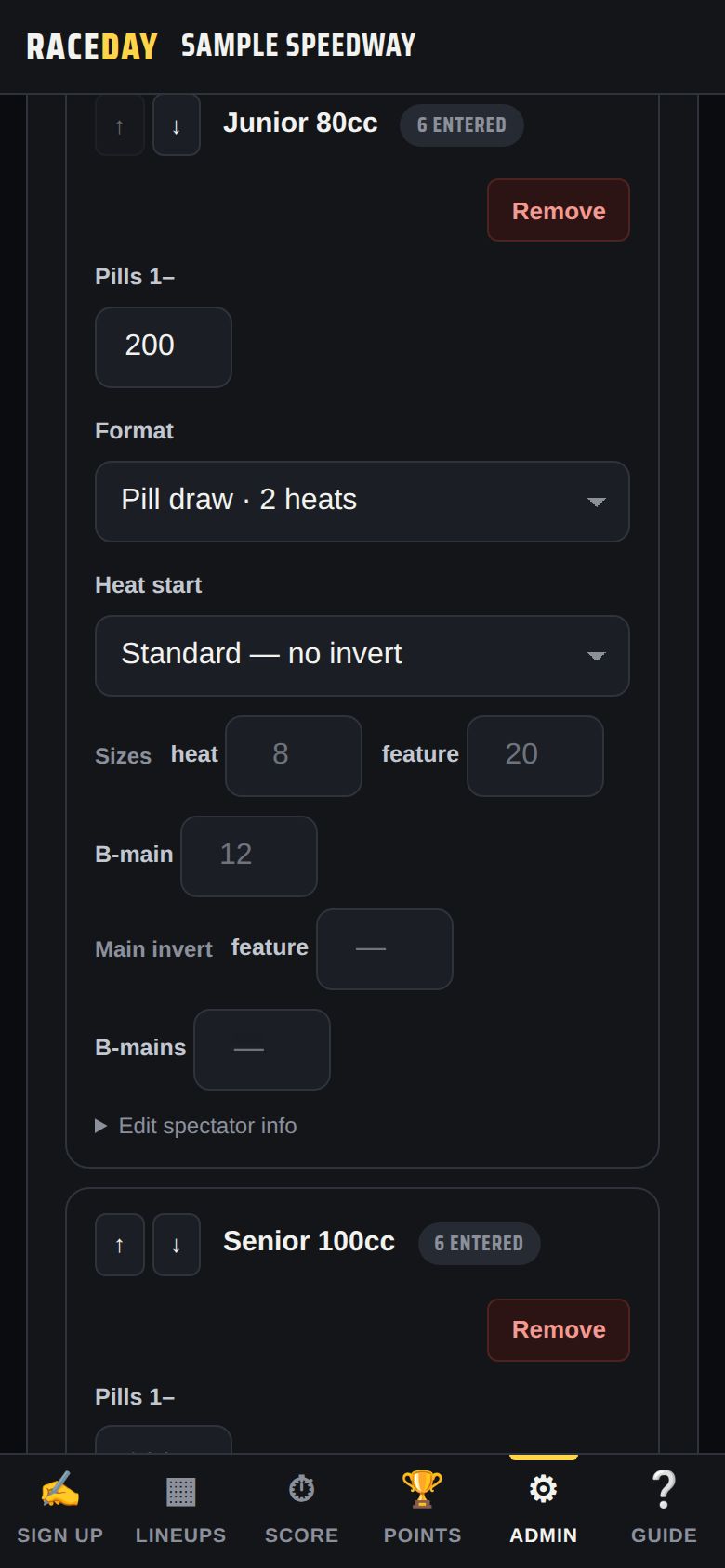
Class settings -
How pills set the lineup
Each driver draws a random pill at sign-up. In set 1, the lowest pill starts on pole. Set 2 runs each heat in reverse.
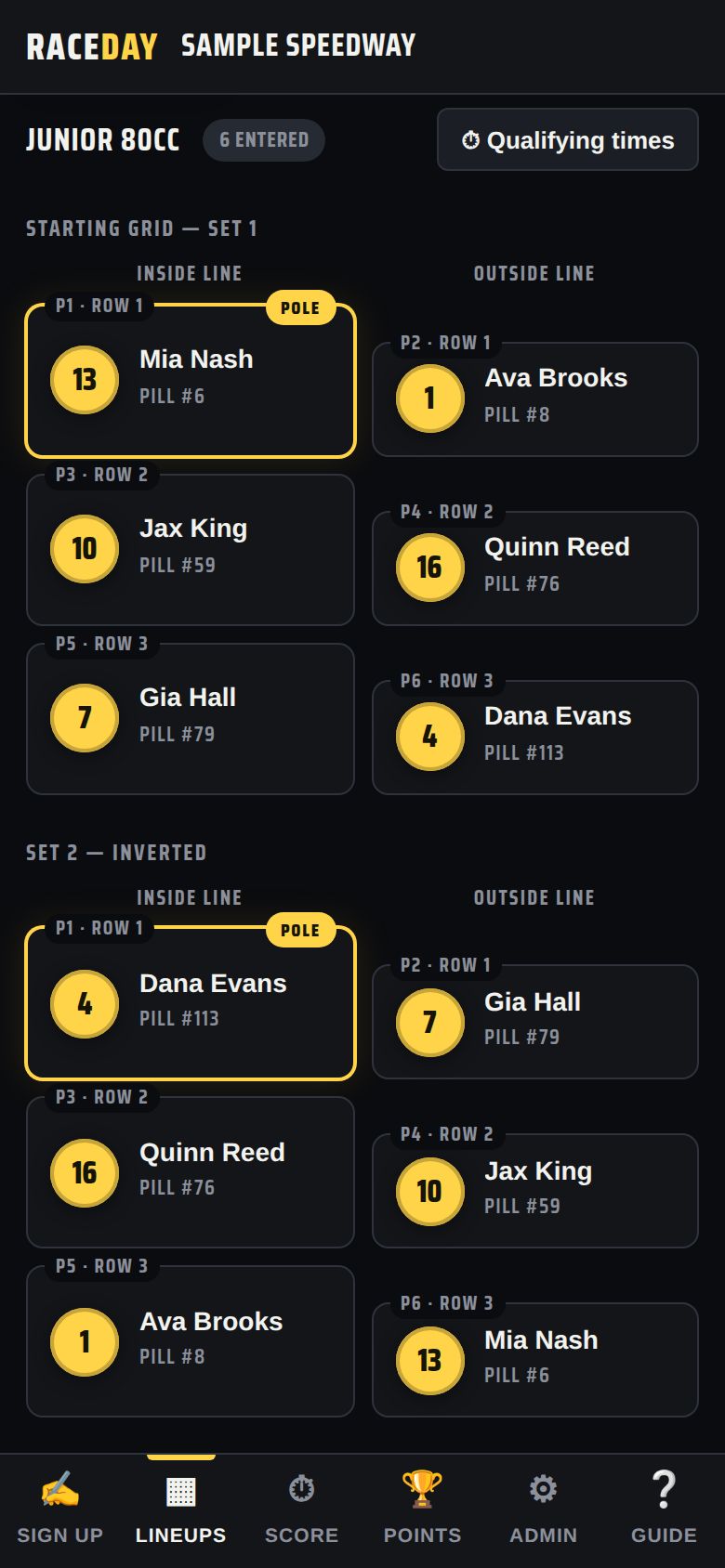
Set 1 and set 2 -
Splitting into heats
In Admin → Race format, Pill draw → heats decides how a big field is split:
- Alternate — the fast pills are spread across heats (pill 1 on pole of heat 1, pill 2 on pole of heat 2…)
- Block — heat 1 gets the lowest pills, heat 2 the next
Max cars per heat sets how many fit in one heat.
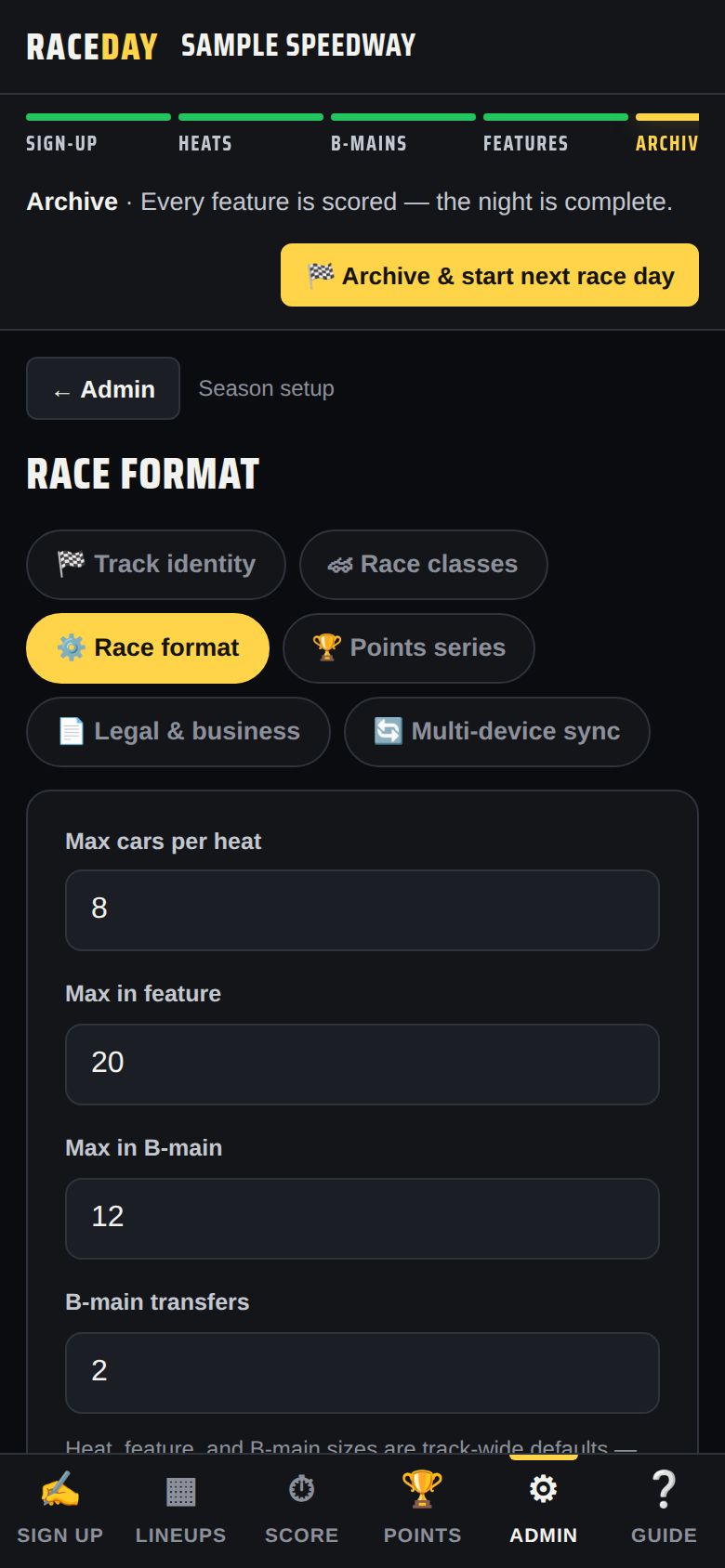
Race format -
Inverting the start
Per class, Heat start can flip the front of the field:
- Standard — no invert
- Invert top N — whole field — flips the top N before splitting into heats
- Invert top N — each heat — flips the top N inside every heat
Set N with Invert top.
-
How the feature is set
After both heats, each driver's finishes are added up — low total wins, ties go to the pill draw. The best totals fill the feature; if the field is bigger than the feature, the rest go to B-mains.
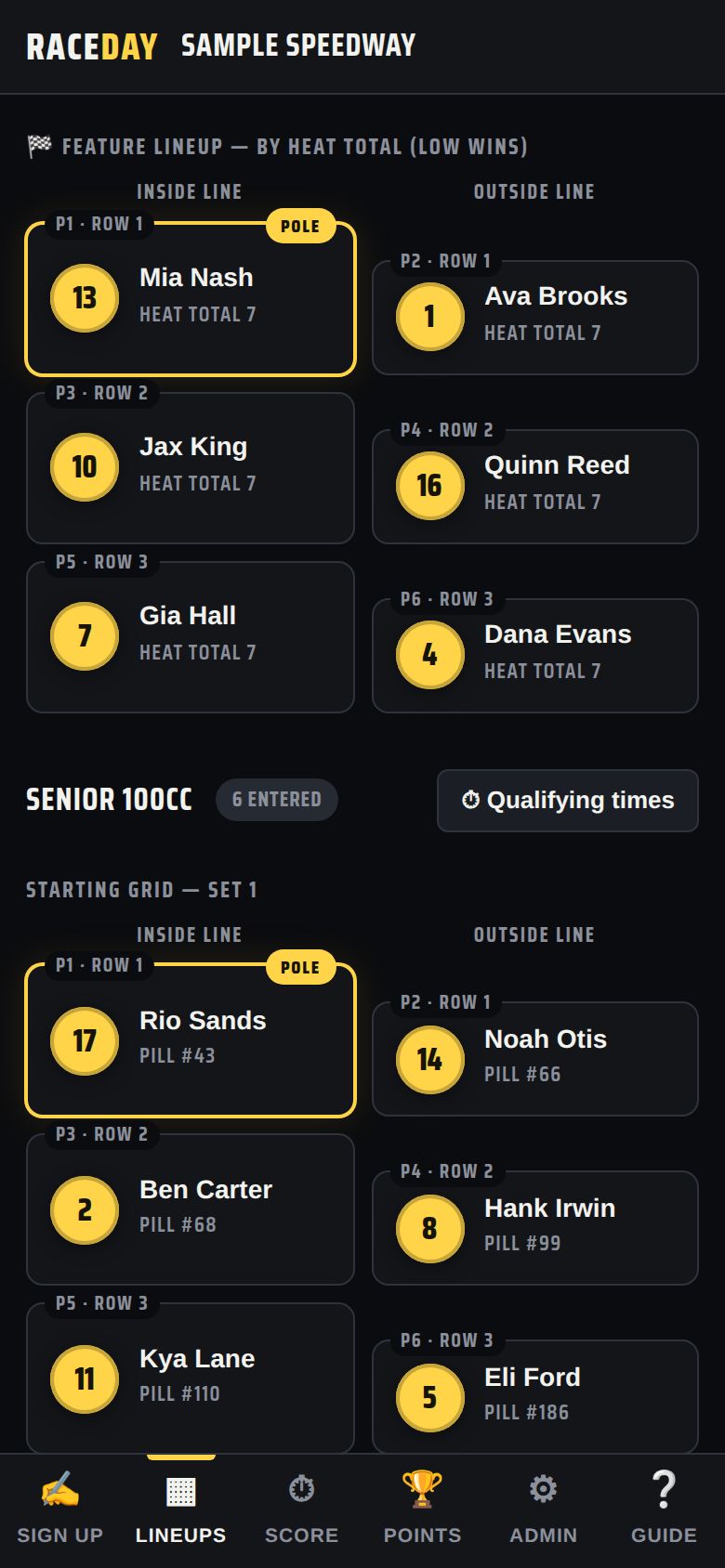
Feature by heat total -
Or use passing points
Per class, set Heat scoring to Passing points — most wins. Each heat then scores finish points (finish pts, 10-9-8… by default) plus points for every spot gained from the starting grid (per spot gained, 1 by default). Losing spots never costs points; DNF, DNS and DQ score nothing. Most points wins, ties still go to the pill draw.
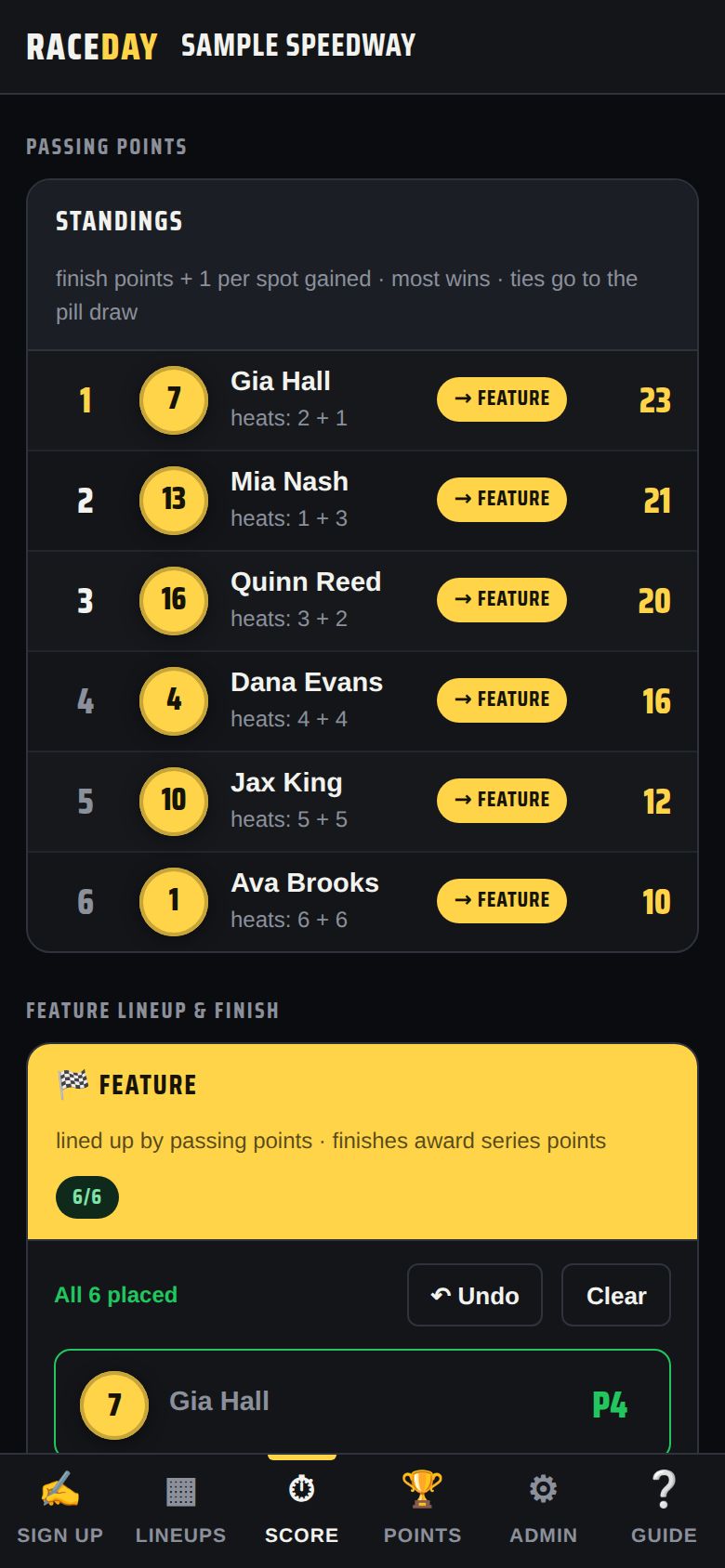
Passing points on the Score tab -
Inverting the feature
Main invert (per class) flips that many starting spots at the front of the feature or B-mains. It changes where drivers start, not who qualifies.
Good to know
- Heat, feature and B-main sizes are track-wide in Race format; set a different size for one class under Sizes in Race classes.
Next guides
Still stuck? The Field Manual walks through every screen, and the FAQ covers common questions. Or just ask.
Email a question →