-
When B-mains happen
Only when a class has more drivers than Max in feature. Otherwise everyone goes straight to the feature.
-
Pick a B-main style
In Admin → Race format, B-mains has three options:
- Single — one B-main; drivers past it don't race
- Parallel — everyone left splits into equal B-mains, and the top of each goes to the feature; nobody is cut
- Cascade — B, C, D-mains; the lowest runs first and the top finishers climb up main by main
How many (for parallel and cascade), Max in B-main and B-main transfers sit alongside.
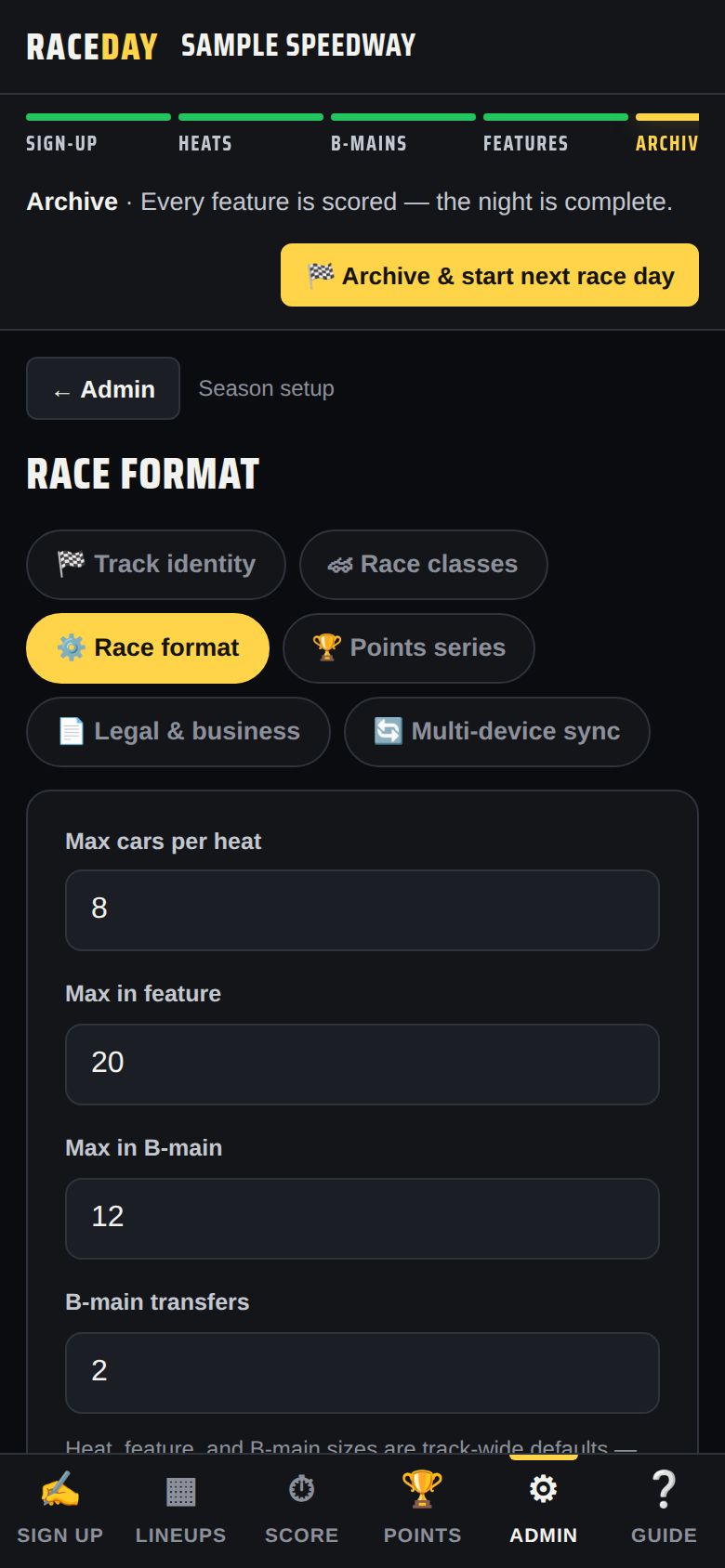
Race format -
On race night
Once the heats are scored, the Race Control bar shows “B-mains · … left to score.” Each B-main appears on Lineups with how many transfer — like “top 2 to the feature.”
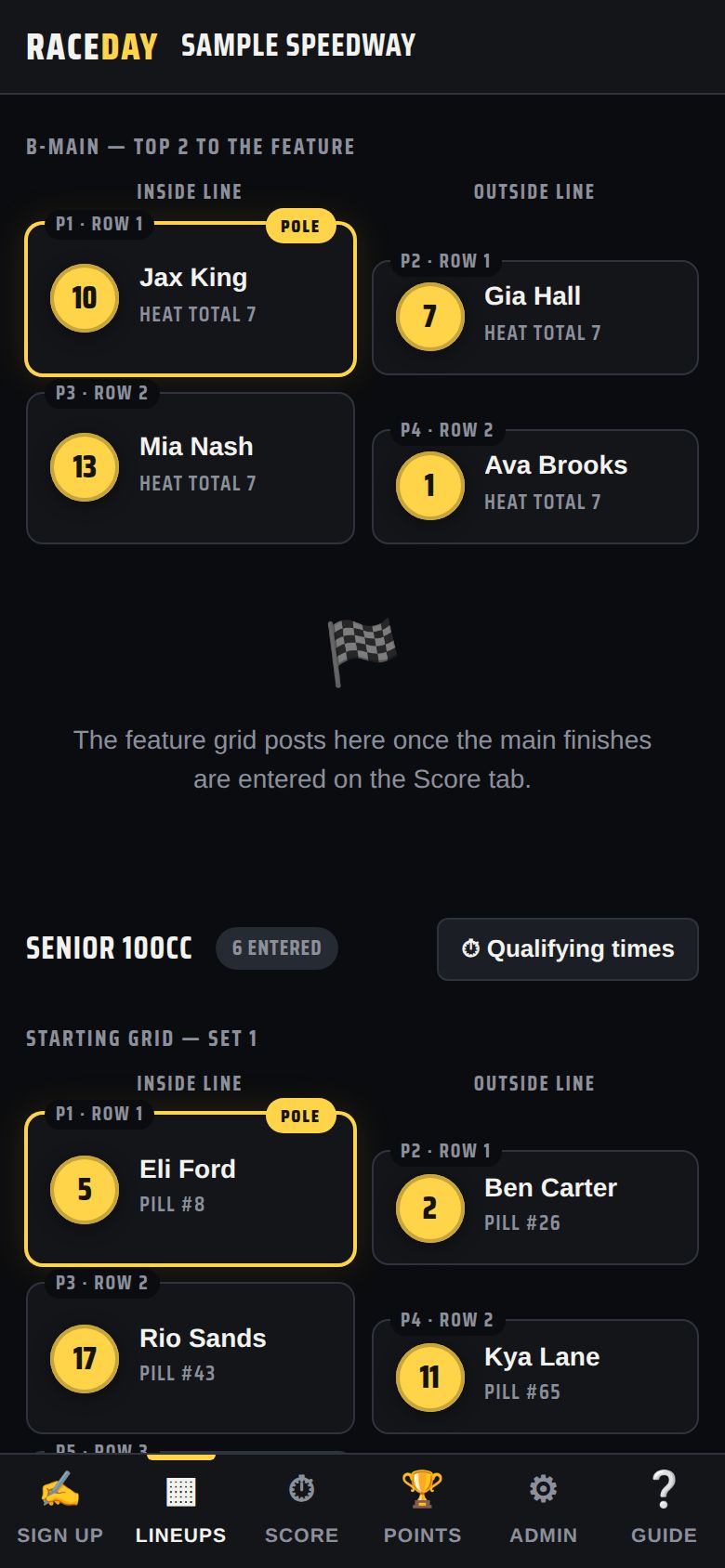
B-main lineup -
Score the B-main
Score it on the Score tab like any race. The transfers drop straight into the feature lineup.
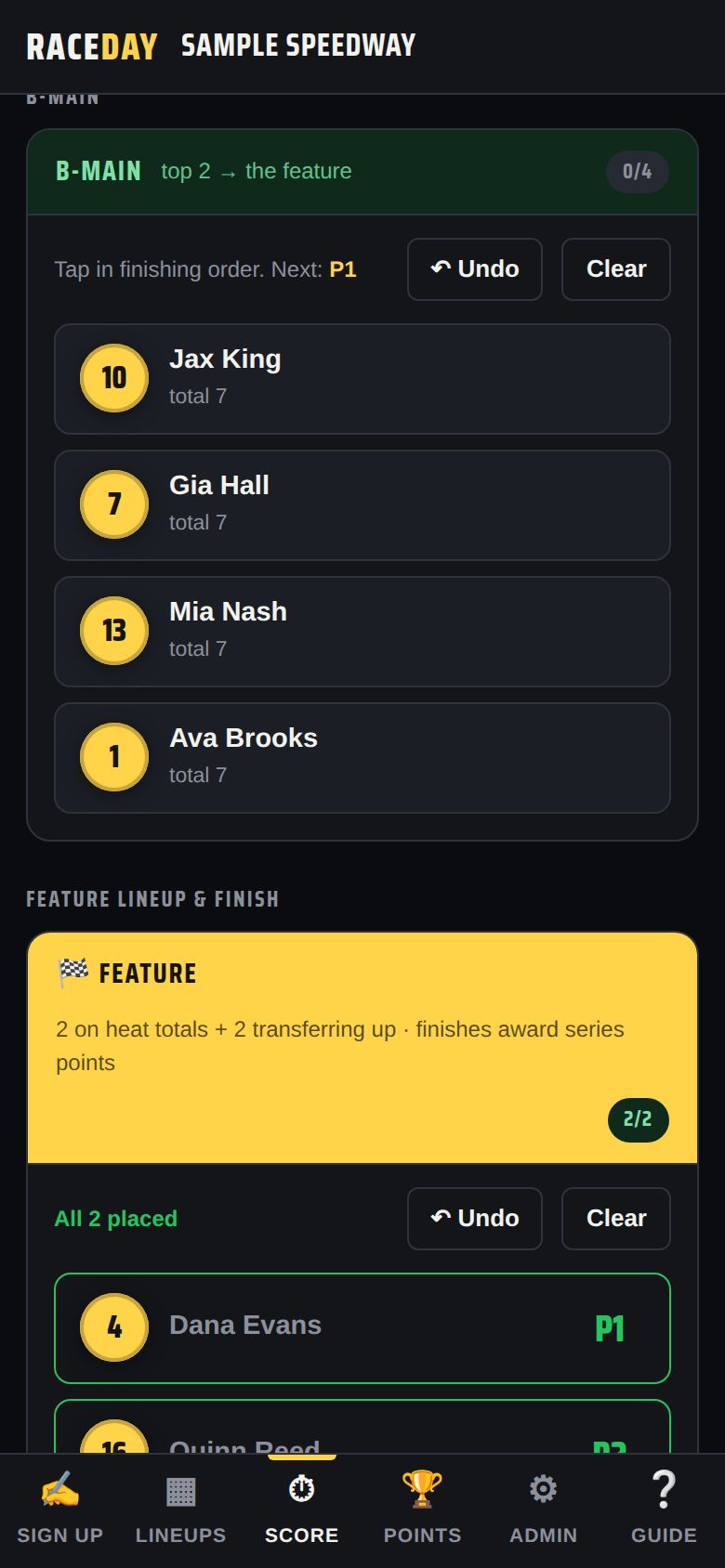
Scoring a B-main -
DNF promotion
If a B-main has fewer finishers than transfer spots, cars that DNF'd move up in running order to fill them. DNS and DQ cars never advance.
Good to know
- Set a different B-main size for one class under Sizes in Race classes, and flip the front of a B-main with Main invert.
Next guides
Race formats
Season points
Points systems, a table per class, tie-breaks, non-points drivers, and fixing missed nights.
Staff roles
Scoring tower
Three ways to enter finishes, DNF/DNS/DQ, heat totals and features.
Race formats
Pill draw & heats
Two heats, pill order, inverts, passing points, and how the feature is set.
Still stuck? The Field Manual walks through every screen, and the FAQ covers common questions. Or just ask.
Email a question →